
Your family’s health records, encrypted on your phone.
Mediara Vault keeps medications, prescriptions, documents, vaccinations, vitals and your whole medical history in one place — on your own device. There is no account to create and no server holding your data.
Free for three months, everything included. Then one yearly plan — and your records stay readable whatever you choose.
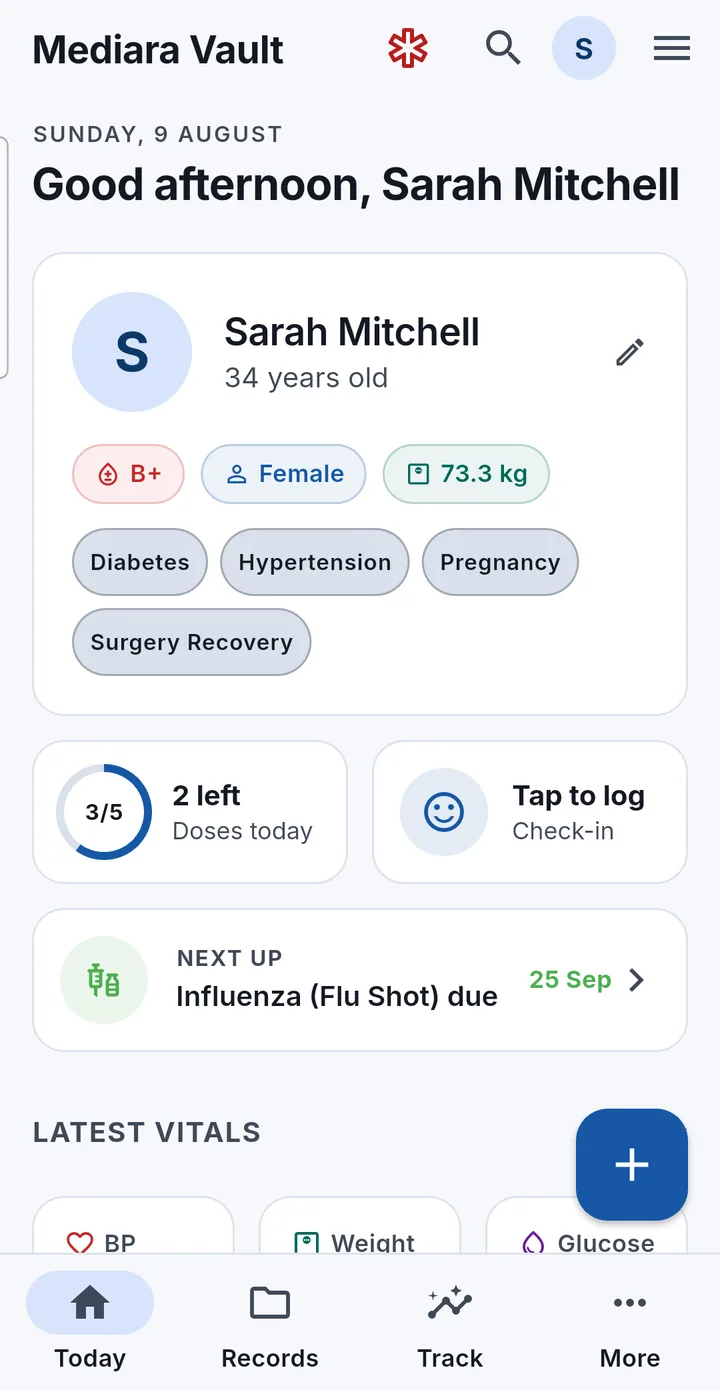
Everything you’d otherwise have to remember
Seven kinds of record, plus documents — all searchable, all linkable to each other, and all merged into one chronological history.
- Medical eventsIllnesses, injuries, procedures, hospital stays, diagnoses and tests — 17 kinds.
- MedicationsDoses, schedules, food timing, supply counts and refill warnings.
- PrescriptionsPhotographed or imported, linked to the medicines they prescribe.
- Doctor visitsConsultations and future appointments, across 93 specialties.
- VaccinationsDose numbers, dates given, and next-due dates that set reminders.
- AllergiesSeverity and reaction — these drive the Emergency Card and medicine warnings.
- DocumentsPhotos and PDFs of reports, scans and discharge summaries — text read on-device.
- Medical historyAll of it merged into one filterable timeline, month by month.
Typing a medical term brings up suggestions from 2,571 curated entries held inside the app — brands matched to generics, tolerant of typos, and available with no connection. Free text is always accepted; the suggestions never restrict what you can write.
Six things it does every day
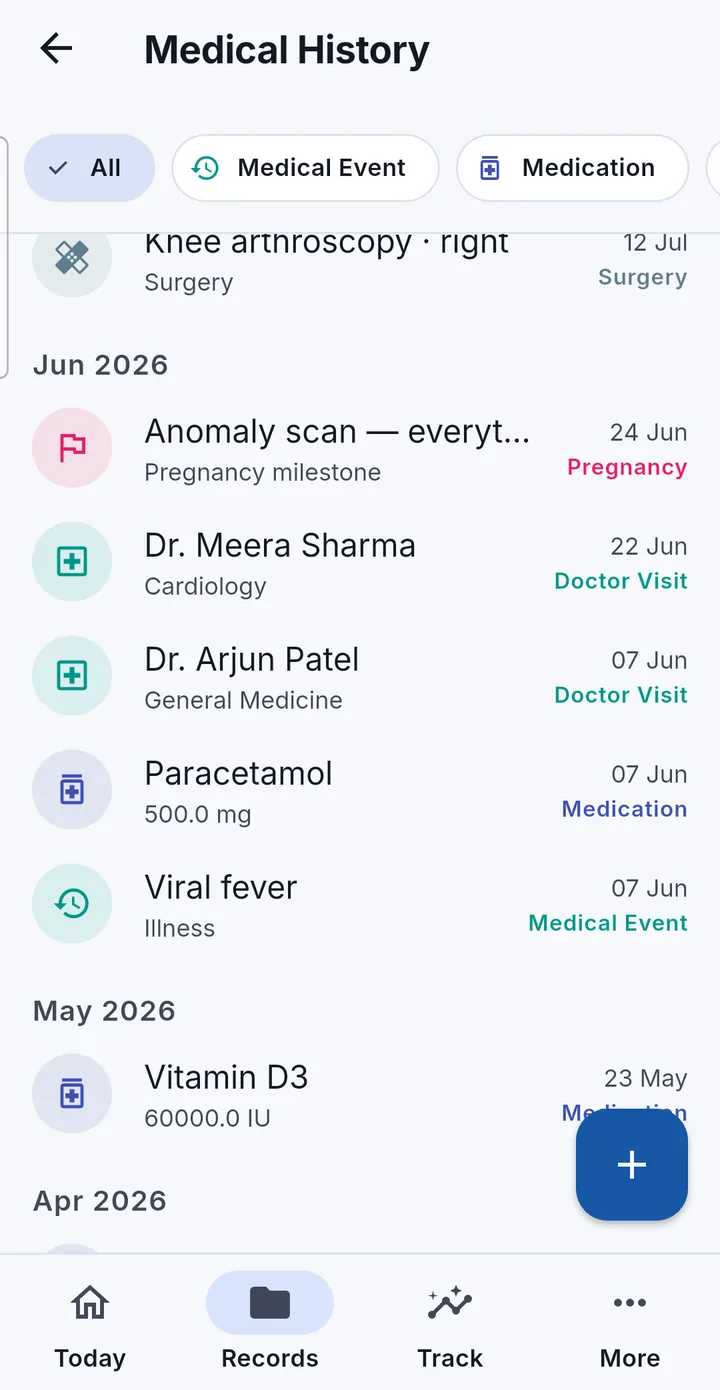
A five-year history that reads in one scroll
Medical History merges every record type — events, medications, prescriptions, visits, vaccinations, documents, allergies and Care Mode milestones — into one chronological view, grouped by month.
- Filter chips for each record type, showing only the types you actually have
- Every row names its record type as well as colouring it, so a Document filed as a prescription is never confused with a Prescription
- Dates are day-precision and timezone-safe — a record entered in one country reads the same after you move
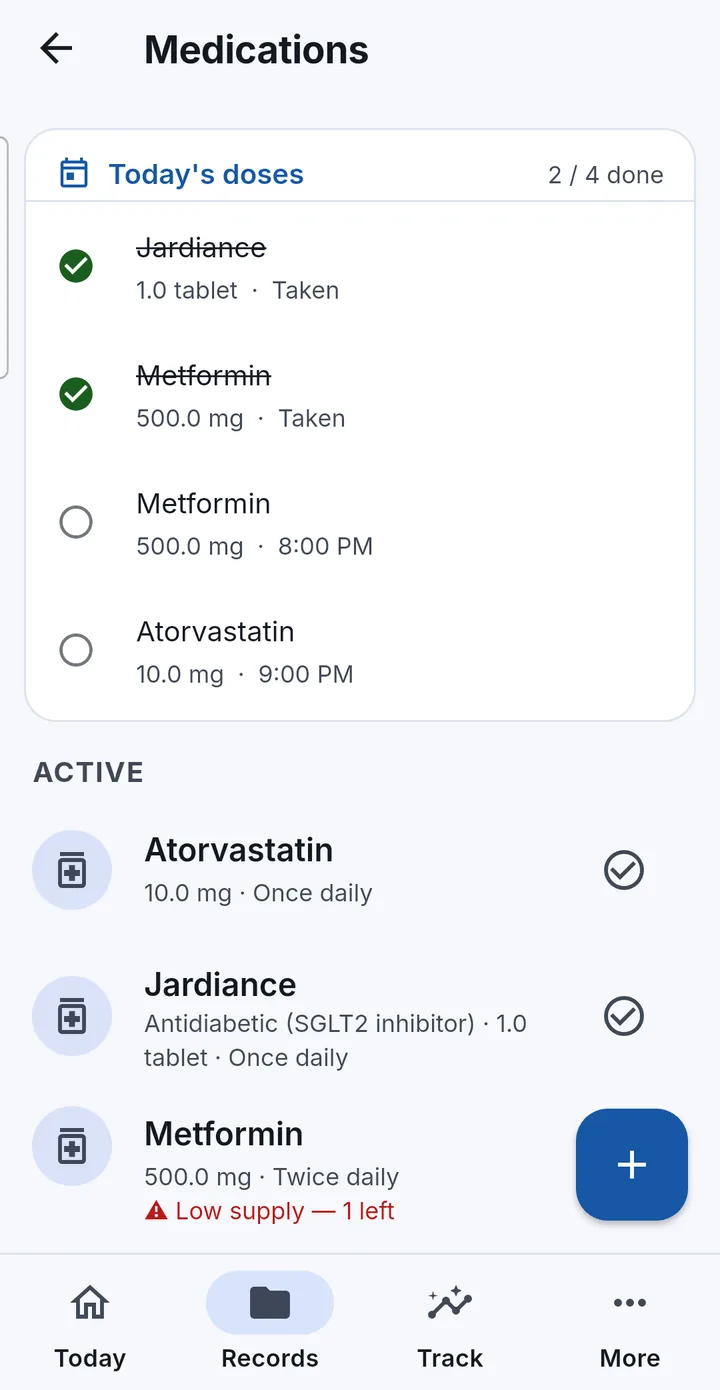
Know what you take, and when you took it
Set a schedule once and the reminders start immediately. Daily times, chosen weekdays, day cycles, tapering courses, or as-needed with a daily cap — whatever the prescription actually says.
- Log a dose from the notification without opening the app; snoozing works even when the app is closed
- Adherence and streaks on a 30-day calendar, with a full dose history behind it
- Low-supply warnings before you run out, and an optional weekly missed-dose digest
- A name-based heads-up when a new medicine matches a recorded allergy or an active medicine. It is a prompt to check, not a drug-interaction database
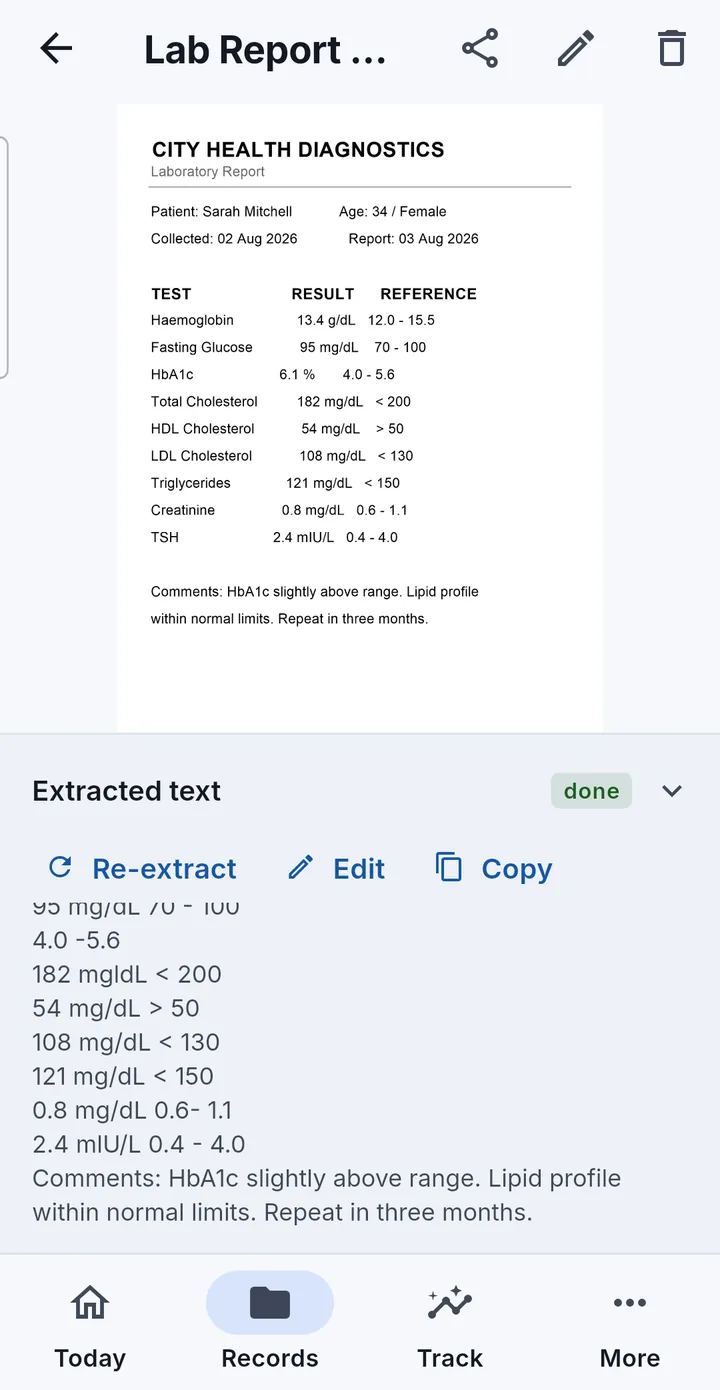
Photograph a report, then search what’s inside it
Capture pages with the camera, pick them from the gallery, or import a PDF. Several photos become one document in the order you choose. Text is read on the phone by Google’s on-device recognition — the images never leave it.
- A PDF that already contains real text is read straight from the file: exact, instant, and no recognition needed
- Only genuinely scanned pages go through recognition, one page at a time
- Extracted text becomes searchable the moment it is saved, and sits in a panel beneath each page
- The stored file is never modified — sharing hands out your original
Vitals you enter, and vitals your watch already has
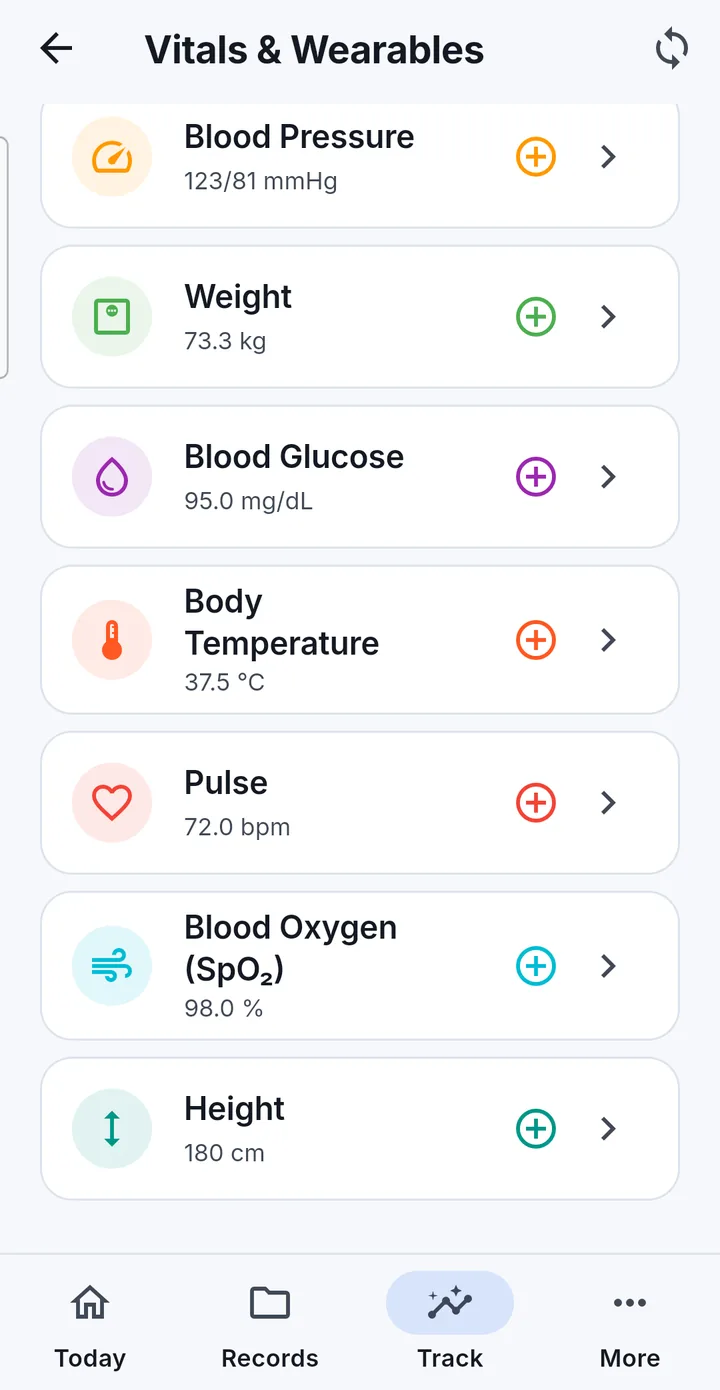
Blood pressure, weight, glucose, temperature, pulse, blood oxygen and height can all be entered by hand, with day, week, month and year charts and a plain-language range band on every reading.
- 11 measurements can sync in through Android’s Health Connect — steps, heart rate, sleep, blood pressure, glucose and more
- The app asks for read access only, and never writes back
- A searchable guide covers 15 wearable brands, with a setup wizard and a seven-point connection checker for when nothing arrives
- Readings from several sources are de-duplicated, so a watch and a phone both counting steps don’t double the total
The few facts that matter in an emergency
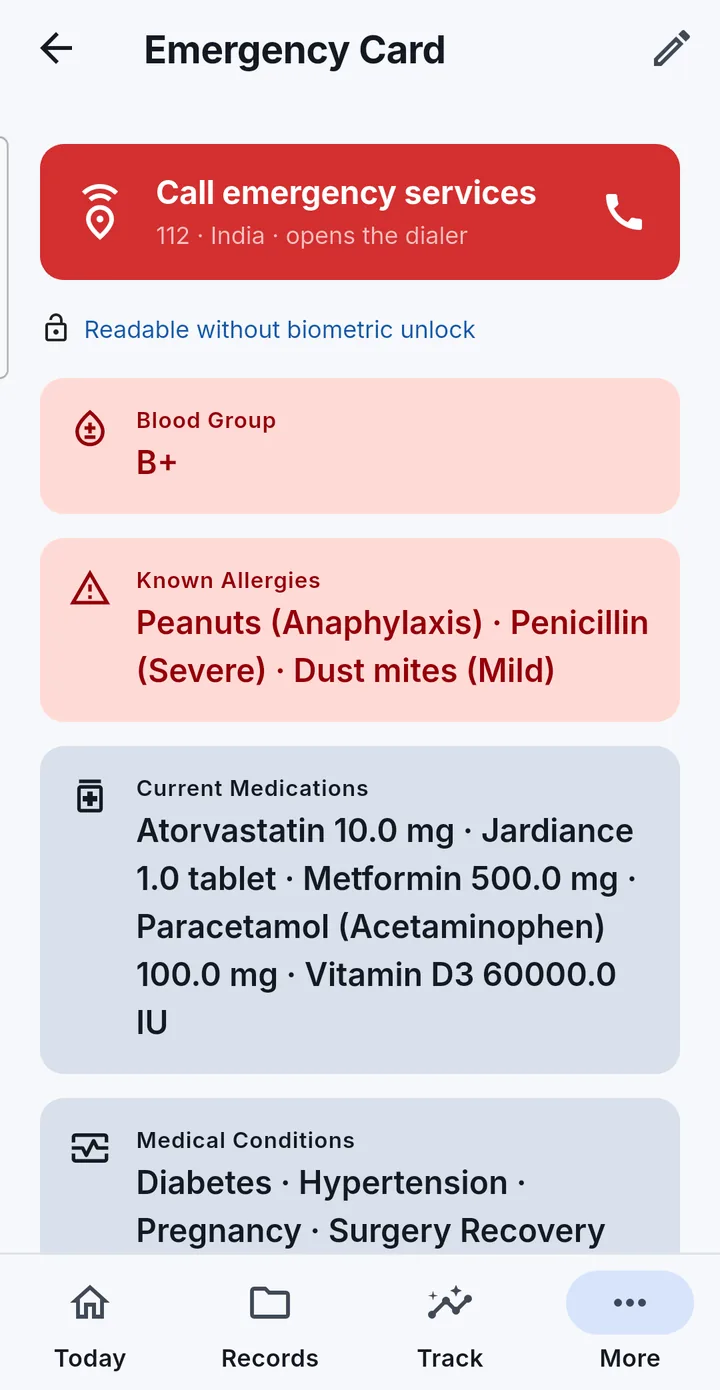
Blood group, allergies, current medicines, conditions and emergency contacts on one screen, composed automatically from your records so it is always current. Contacts are tap-to-call, and the emergency-services button dials your region’s number after an explicit confirmation.
You can choose to let the card open without Mediara Vault’s own fingerprint or face unlock — and only the card, never the rest of the app. That is not your phone’s lock screen: the phone must already be unlocked, and the option only does anything if you have turned the app’s biometric lock on. It is off unless you switch it on.
Backups that belong to you
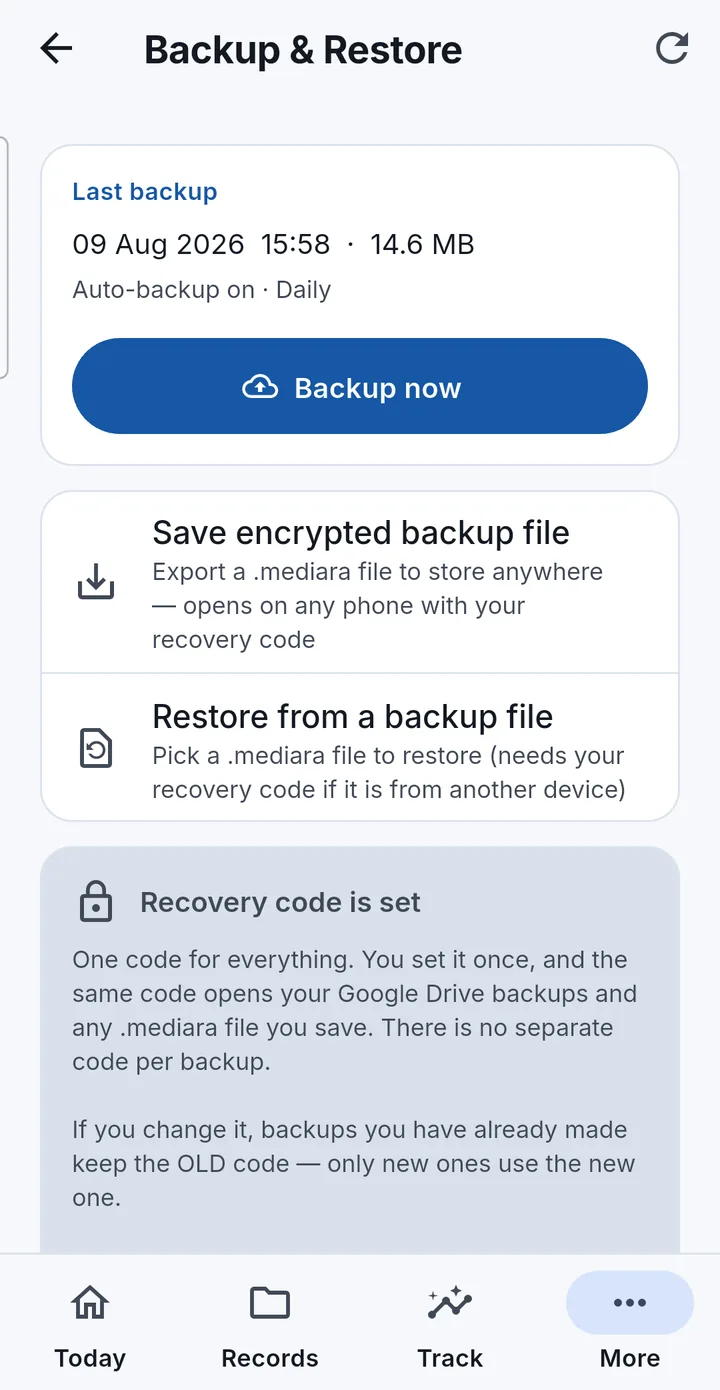
Losing a phone should not mean losing a medical history. Mediara Vault encrypts a backup on the device and then puts it either in your own Google Drive’s private app folder, or in a .mediara file you keep wherever you like.
- Account protection — restores on any phone where you sign in with the same Google account
- Recovery code — end-to-end encrypted, so nobody can open the backup without the code. Not Google, and not us
- Restores are staged, verified and applied atomically; a failure rolls back completely
Built for privacy, not marketed as private
Each of these is a property of how the app is built, not a policy we could quietly change.
Encrypted where it lives
The database is encrypted as a whole file, and every document and photo is encrypted with AES-256-GCM in the app’s private sandbox. The key is held in your device’s secure hardware-backed keystore.
There is no server
Mediara operates no backend for your records. There is nothing to breach, nothing to subpoena from us, and no way for us to read, recover or correct what you store.
No analytics, no tracking
No analytics SDK, no crash-reporting service, no advertising identifier and no third-party tracker is linked into the app — verified against the shipping build, not just the source.
Nothing leaves unless you send it
An encrypted backup you create. A PDF or a document you share. A Google sign-in, if you connect one. That is the complete list, and it is on the privacy page in a table.
For the times that need more than a list of records
Pregnancy & Surgery modes
Time-bounded companions that reorganise tracking around a life event: gestational-age and recovery dashboards, kick counter, contraction timer, pain and wound logs, antenatal and prep checklists, journals and danger-sign guides.
What each mode includes →Family profiles & caregiver mode
One phone, separate records for each person, and reminders that fire for all of them. Caregiver view hides every way to change a record until you unlock it again — turning it off needs your fingerprint or device PIN.
How profiles work →Share with Doctor
A printable PDF summary built on your phone, with a checkbox for every section so you decide what a clinician sees. It is handed to Android’s share sheet — the app uploads nothing, and where it goes is your choice.
What the summary contains →Three months free. Then one yearly plan.
Every feature on this site, for everyone in your family, with no limits on what you store. After three months a yearly subscription keeps you adding and updating records.
First three months
FreeNo cost, no card, no account
The whole app from the moment you install it.
- Every record type, document, reminder and Care Mode
- As many people, records and documents as you like
- Backups, restore, doctor PDFs and the Emergency Card
- No payment details asked for, and no account
Yearly subscription
One plan, billed once a year
Bought through Google Play, priced per country. The price is shown in the app in your own currency.
- Keeps you adding and updating records
- Still no limits on what you store, or on how many people
- A lower price may be offered for your first year
- Cancel any time; access runs to the end of the year you paid for
Without a subscription the app becomes read-only: every record stays there to view, search, export, share and delete, your reminders keep firing, and backups and restores keep working. Nothing is ever hidden, archived or deleted — and subscribing later brings everything back exactly where you left it.
The things people ask first
Do I need an account?
No. There is no registration of any kind. A Google sign-in is used for one thing only — backing up to your own Google Drive — and you can skip it and still protect your data with encrypted .mediara backup files.
Where is my medical data stored?
On your phone, encrypted: an encrypted SQLite database plus an encrypted file vault inside the app’s private sandbox. There is no cloud database and no developer server. The only copies that exist anywhere else are the encrypted backups you create and the PDFs you choose to share.
Can Mediara see my records?
No, and not as a policy — there is no technical route. We operate no server that receives your data, so we cannot read it, recover it, correct it, or hand it to anyone. The trade-off is that we also cannot help you recover data if you lose your phone without a backup.
Does the app work without an internet connection?
Yes, indefinitely. Records, reminders, search, vitals, Care Modes, the Emergency Card, PDF summaries and file backups all work offline. Only three things need a connection, and all three are optional: Google sign-in, Google Drive backup and restore, and voice dictation on devices that need to download a speech pack.
What happens if I uninstall the app?
Android destroys the app’s sandbox, and the local data goes with it — permanently. Backups you created in your Google Drive or saved as .mediara files are unaffected and can be restored on a new install. Take a backup before you uninstall, reset or sell a phone.
Is it free?
It is free for three months, with every feature and no limits on what you store. After that a yearly subscription through Google Play keeps you adding and updating records; without one the app becomes read-only and every record stays available to view, search, export and delete. The full details.
Keep your health history where it belongs.
Mediara Vault is available for Android phones running Android 8.0 or later. English only in this release.
Mediara Vault is a personal record-keeping app. It does not diagnose, treat or give medical advice, and it is not a substitute for talking to a healthcare professional. In an emergency, call your local emergency number. Read the full medical disclaimer.